A tool that analyzes Kubernetes resource usage and recommends rightsizing changes to reduce cloud spending — with confidence scoring and safety margins.
Advanced
Kubernetes Cost Optimizer and Rightsizer
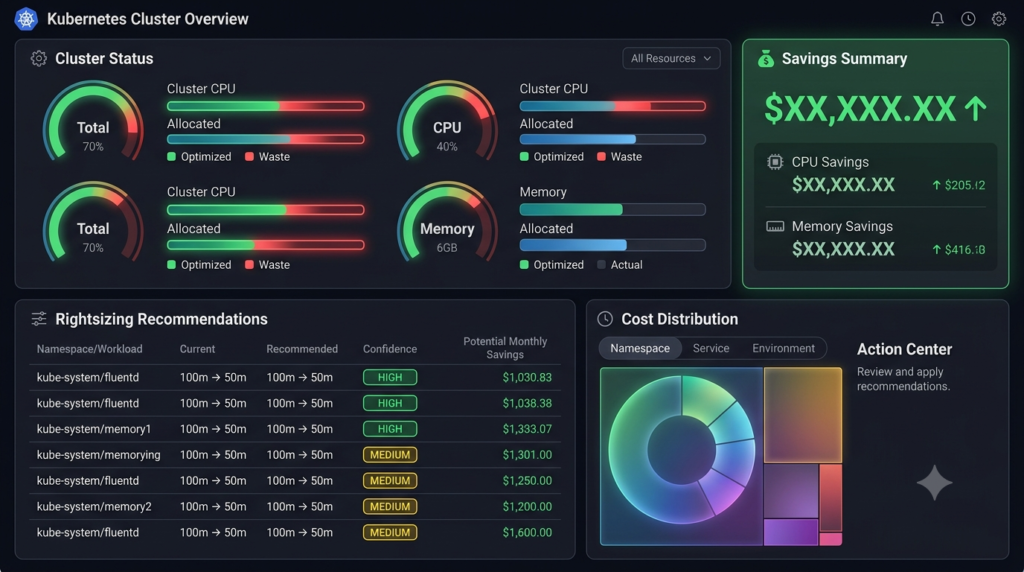
A tool that continuously monitors Kubernetes resource requests and limits, compares them against actual usage, and recommends or automatically applies rightsizing changes — helping teams reduce cloud spending without sacrificing reliability.
Who Is This For?
DevOps and SRE teams managing Kubernetes clusters who need to reduce cloud costs
Platform engineers responsible for cluster efficiency and resource allocation
CTOs and engineering leaders at startups watching their cloud bills grow
Cloud cost optimization teams looking for Kubernetes-specific tooling
The Problem
Kubernetes teams typically over-provision resources because they’re afraid of outages. When an engineer sets CPU and memory requests, they estimate high “just to be safe.” The result: clusters run at 20-40% utilization while the company pays for 100% of the provisioned resources.
Industry surveys suggest many Kubernetes clusters run at 30-50% resource utilization, meaning a significant portion of provisioned capacity goes unused. For a team spending $50,000/month on cloud infrastructure, even a 20% reduction in over-provisioning could save $10,000/month.
Existing tools like Kubecost and OpenCost show you what you’re spending but don’t tell you what to do about it. They’re dashboards, not optimizers. The actual rightsizing — analyzing usage patterns, recommending changes, and applying them — is still manual work that requires deep Kubernetes expertise.
The gap: teams know they’re overspending but don’t have the tools to systematically identify and fix resource waste without risking outages.
How It Works
The tool works in three phases:
Observe — Collect actual CPU and memory usage metrics from Kubernetes for every container over a configurable window (7-30 days)
Analyze — Compare actual usage against configured requests and limits. Identify containers that are over-provisioned (using <50% of requests) or under-provisioned (using >80% of limits)
Optimize — Generate rightsizing recommendations with confidence levels. Optionally auto-apply changes with guardrails.
Rightsizing Logic
For each container: actual_cpu_p95 = 95th percentile CPU usage over observation window actual_mem_p95 = 95th percentile memory usage over observation window recommended_cpu = actual_cpu_p95 × safety_margin (1.2-1.5x) recommended_mem = actual_mem_p95 × safety_margin (1.3-1.5x) confidence = HIGH if observation window ≥ 14 days MEDIUM if 7-14 days LOW if < 7 days
Usage analysis with configurable observation window
Rightsizing recommendations with confidence scoring
Cost savings calculator
Web dashboard with recommendation list
Dry-run and apply modes
Implementation Approach
Phase 1: Metrics + Analysis (Weeks 1-3)
Build the Prometheus integration. Collect CPU and memory metrics for all containers. Build the usage profiling engine with statistical analysis (p50, p95, p99).
Phase 2: Rightsizing Engine (Weeks 4-5)
Implement the rightsizing calculation logic with safety margins. Build the cost savings calculator. Add confidence scoring based on data maturity.
Phase 3: Dashboard (Weeks 6-7)
Build the web dashboard with cluster overview, recommendation list, and cost tracking. Add historical comparison views.
Metric reliability — If Prometheus data is incomplete or delayed, recommendations may be inaccurate. The tool should report data quality issues.
Workload variability — Some workloads have predictable patterns (batch jobs, cron jobs) while others are spiky (API servers). The analysis must account for burst capacity.
Rightsizing vs. autoscaling — The tool should complement HPA/VPA, not replace them. Recommendations should consider whether autoscaling is already handling variability.
Organizational resistance — Teams may resist automated changes to production workloads. Start with recommendations-only mode and build trust before enabling auto-apply.
Why This Idea Is Different
Kubecost and OpenCost are excellent cost visibility tools — they show you what you're spending and where. But they're dashboards, not optimizers. The actual work of analyzing usage patterns, calculating optimal resource levels, and applying changes is still manual.
This Idea is an optimizer, not just a dashboard. It takes the next step: from "here's what you're spending" to "here's exactly what to change, and here's how much you'll save." The confidence scoring and safety margins make it safe to use in production.
What Similar Tools Exist
Tool
Focus | Limitation
| Kubecost | Cost visibility | Dashboard, not optimizer
OpenCost | Cost allocation | Metrics, not recommendations
CAST AI | Auto-optimization | SaaS, expensive, black-box
Spot.io | Spot instance optimization | Focuses on instance types, not container rightsizing
This Idea fills the gap between cost visibility (Kubecost) and expensive managed optimization (CAST AI).
Technology Stack
Python 3.11+ — Core language
FastAPI — API backend
kubernetes Python client — Cluster interaction
Prometheus client — Metrics querying
PostgreSQL — Recommendation and cost history
React — Web dashboard
Helm — Kubernetes deployment
pytest — Testing
Future Extensions
VPA integration — Generate Vertical Pod Autoscaler configurations from recommendations
Spot instance recommendations — Identify workloads suitable for spot/preemptible instances
Namespace-level budgets — Set and enforce cost budgets per team/namespace
CI/CD integration — Validate resource requests in pull requests against actual usage
Multi-cloud — Support GKE, EKS, and AKS pricing models
Anomaly detection — Alert when costs deviate from expected patterns
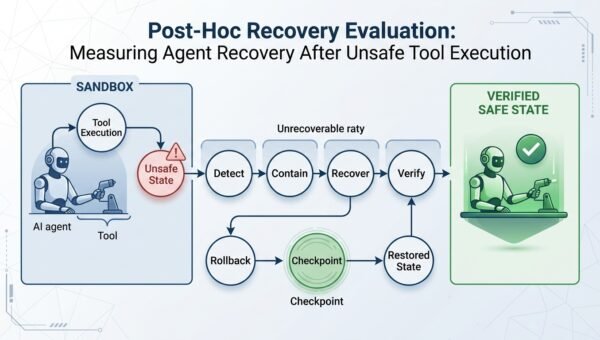
A research project that makes recovery a first-class evaluation object: injecting controlled, sandboxed unsafe-execution events into agent benchmarks and measuring...
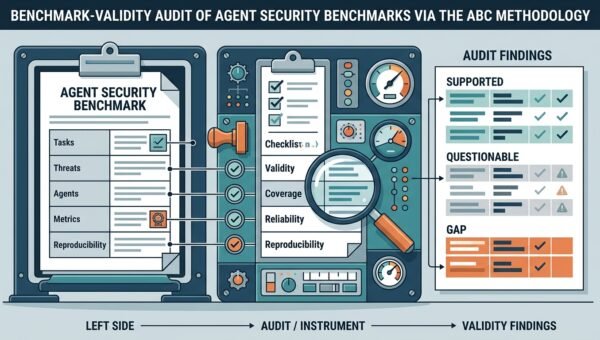
A research project that audits the measurement instruments themselves: applying the ABC validity-checklist methodology to agent-security benchmarks to find task-validity...
A team of developers, researchers, and innovators who review and publish practical ideas for builders and creators.
Published: September 3, 2026
Editorial Note: This idea was reviewed and published by the ItsMyIdeas editorial team. All content is checked for originality, accuracy, and practical value before publication.
A team of developers, researchers, and innovators who review and publish practical ideas for builders and creators.
Published: September 3, 2026
Editorial Note: This idea was reviewed and published by the ItsMyIdeas editorial team. All content is checked for originality, accuracy, and practical value before publication.